
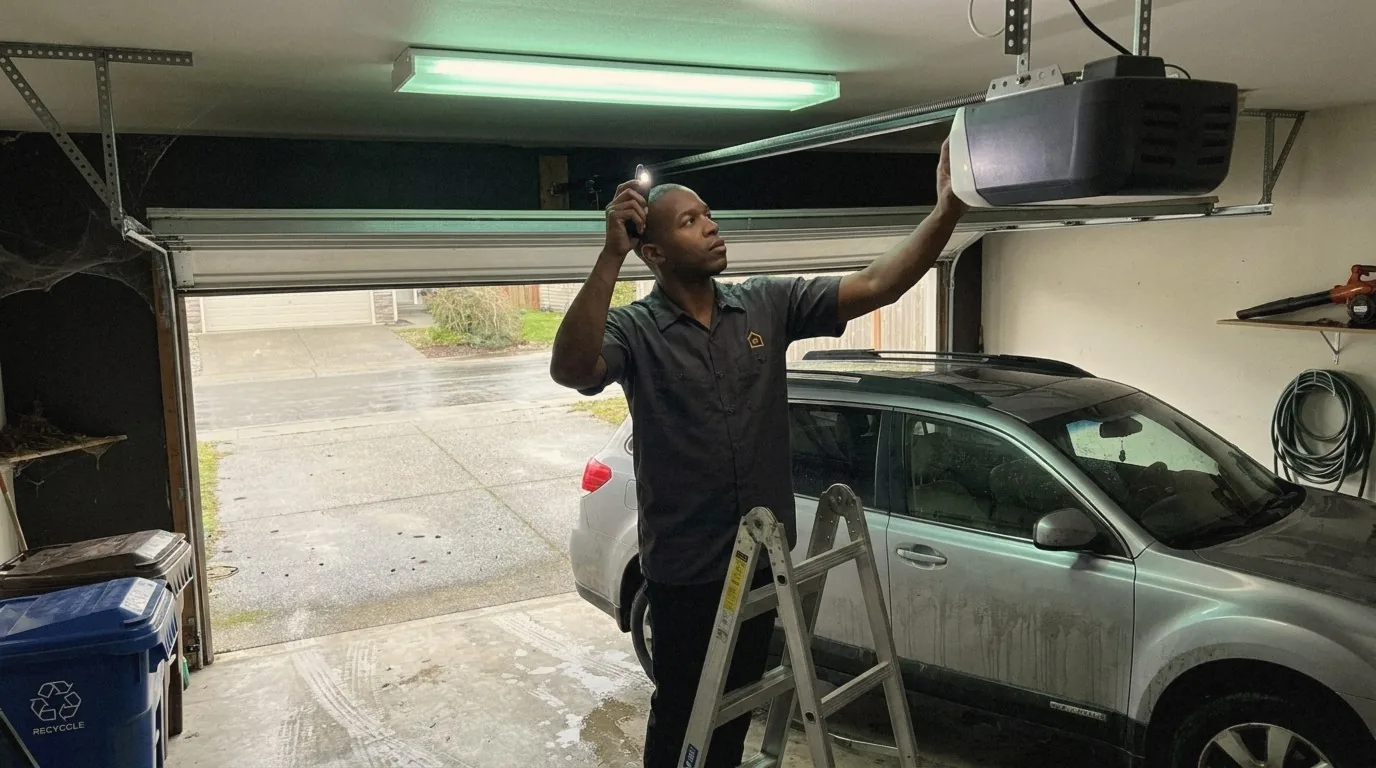
On a Genie garage door opener, a blinking red Safe-T-Beam light or a blinking opener light almost always means the safety sensors are misaligned, blocked or wet. The next causes Perfection Garage Door finds in Renton garages are a wall console left in Sure-Lock mode, a dead remote battery, and travel limits that drifted.
Genie openers talk through three places: the two Safe-T-Beam sensors near the floor, the LEDs on the powerhead (round and long LEDs on 2011 and newer units with a PRGM/SET button, a single status LED under the lens on the older Excelerator series), and the overhead light bulb. Read the sensor LEDs first. If your opener is a LiftMaster rather than a Genie, use our LiftMaster garage door opener troubleshooting guide instead, since the lights and codes are different.
Genie Safe-T-Beam LED states and what each one means
Genie’s Safe-T-Beam system uses two sensors: the transmitter (source) carries a red LED and the receiver carries a green LED. Both lit steady means the beam is landing and the door will close. The table below follows Genie’s Safe-T-Beam self-diagnostic chart and the replacement sensor instructions.
| Red LED (source) | Green LED (receiver) | Meaning | What to do |
|---|---|---|---|
| On, steady | On, steady | Normal operation | Nothing. If the door still will not close, the fault is limits, force or the door itself (see below). |
| Blinking | Any | Source sensor misaligned (the most common Genie sensor fault) | Wipe both lenses, loosen the bracket and tilt the source by hand until the red light holds steady; confirm both sensors sit 5 to 6 inches above the floor and face each other. |
| On | Blinks 2 times, pause | Beam misaligned or obstructed, or a defective sensor | Clear bins, bikes, leaf litter and cobwebs from the beam path; realign; replace the pair if the code stays. |
| Off | Blinks 3 times, pause | Wire to the receiver missing or damaged, or a defective sensor | Follow the low-voltage wire from the sensor to the powerhead; look for a staple through the insulation or a loose terminal. |
| On | Blinks 4 times, pause | Receiver is getting interference | Low sun or a bright light into the lens, or a nearby photo eye of any brand. Shade the lens or fit Genie’s Version 2 sensor (GSTB-R) with a lens hood. |
| Off | On | Wiring to the source missing or faulty, or a power interruption | Check the source wire run, then unplug the opener, wait, and plug it back in. |
| Off | Off | No power at the powerhead, or a wiring fault | Test the outlet with a lamp, check the breaker and GFCI, then look for an obvious short in the sensor wires. |
Two details that save a trip. The Safe-T-Beam wiring is non-polar: either wire can go to either terminal at the sensor and to terminals 1 and 2 at the opener, so a reversed pair is not a fault on a Genie the way it is on some other brands. And a Genie opener will not close the door from the remote or keypad while the sensors are faulted; holding the wall console button until the door is fully closed is the only one-time workaround Genie allows, and it is not a fix.
Why is my Genie opener’s red light blinking?
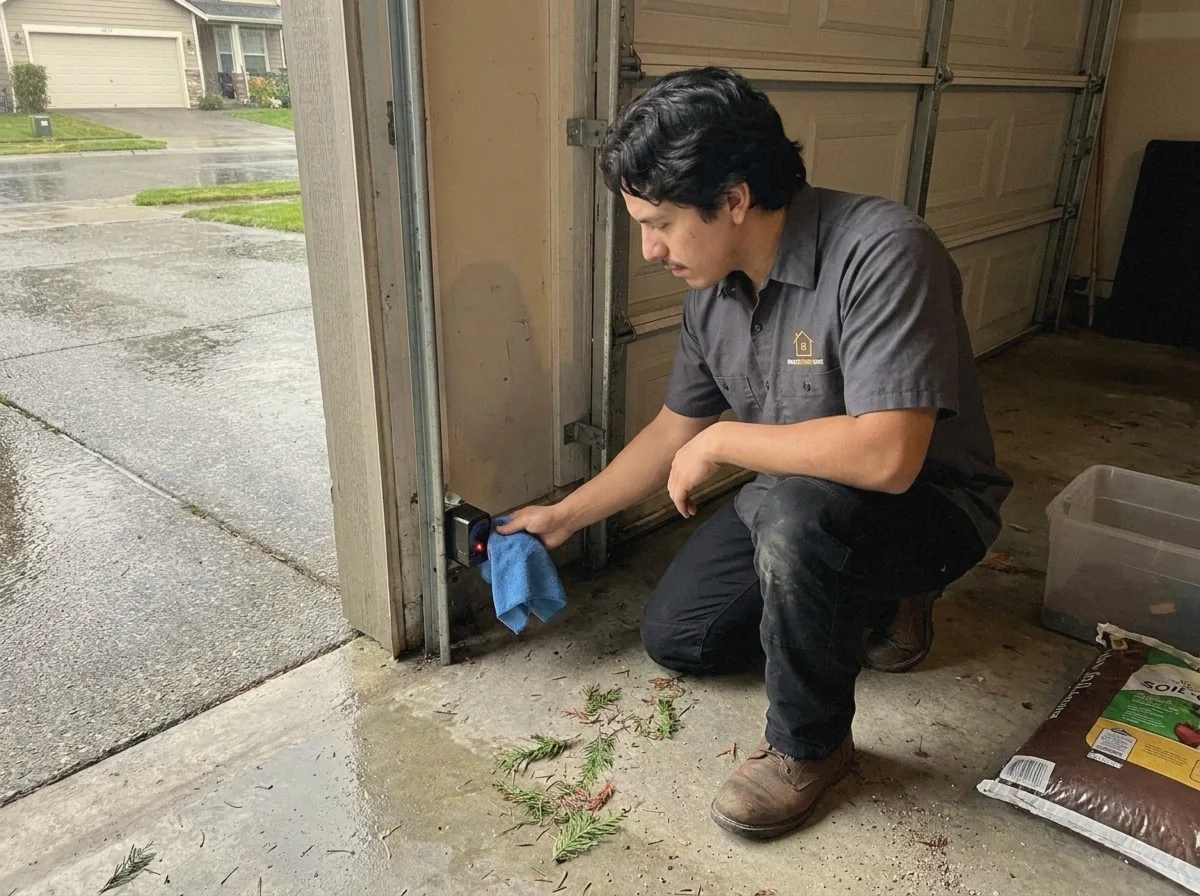
A blinking red light on a Genie Safe-T-Beam sensor means the source unit is misaligned, blocked or wired badly, and the opener is refusing to close the door until the beam lands on the receiver again. Genie’s support answer lists three steps in order: clean both lenses and check for obstructions and loose wires; confirm each lens is mounted 5 to 6 inches off the floor on opposite sides of the opening, facing each other; if the red light keeps flashing, use the diagnostic chart above and the owner’s manual for the model number on the powerhead label.
In Renton garages the misalignment is usually mechanical rather than electrical. A sensor bracket on the door track gets kicked by a recycling bin, a bike pedal or a car tire, and the thin steel bends a few degrees. Loosen the wing nut or screw, hold the source sensor with one hand, and tilt it slowly while watching the red LED. When it stops blinking and holds steady, tighten the bracket without moving the sensor. If it will not hold steady at any angle, check the receiver side the same way and then the wire run along the wall.
Why does the door go back up after it starts to close?
A Genie door that starts down and then reverses is reacting to one of three things: an obstruction or a broken beam at the Safe-T-Beam, a down limit set past the floor so the opener reads the slab as an obstruction, or a closing force the door exceeds because it has become heavy or is binding. Genie’s support page puts the obstruction check first and the red Safe-T-Beam LED second; its general troubleshooting page adds the limits, the door arm position on a new install, and binding in the door hardware.
Work it in that order. Clear the floor and the beam. Read the sensor LEDs. Then pull the red emergency release with the door closed and lift the door by hand to waist height: it should move smoothly and stay put. A door that is heavy, that drops, or that climbs on its own has a spring or cable problem, and no limit or force setting should be touched until that is repaired. Our page on a garage door that will not close all the way in Renton covers the wet-season causes that live in the door rather than the opener: swollen bottom seals, fir needles packed into the track, and worn rollers.
Why won’t my Genie remote work?
When the wall console runs the door but the remote does not, Genie lists the causes in this order: the Sure-Lock (vacation lock) switch on the wall console is on, which disables every remote and keypad on purpose; the remote battery is dead; the remote lost its pairing; or, if every wireless device stopped at once, the receiver board was damaged by a surge. Fix them in that order. Slide the lock to the unlocked position, then replace the battery (a CR2032 coin cell in most current Genie remotes, an A23 in the GITR-3BX), then re-pair.
Genie remotes pair through Intellicode, and the button on the powerhead tells you which generation you have:
- Intellicode 2, PRGM/SET button (2011 to current): find the square PRGM/SET button on the powerhead cover or under the lens. Press and hold it until the LED turns blue, then release. Stand at least 5 feet from the opener and press and release the remote button once every 2 seconds until the door operates. The programming window closes after 30 seconds.
- Intellicode 1, LEARN CODE button (1995 to 2011): the Learn Code button is usually under the light lens. Press and release it; the Learn Code LED blinks rapidly. Press and release the remote button; the LED stops blinking and stays on. Press the same button again; the LED turns off. Press it once more and the door runs.
Do not hold the learn or program button down for longer than the instructions say. Genie warns that holding it past the noted 2 to 3 seconds can erase the remotes and keypads that still work. The one time you want that is after a remote is lost or stolen: erase everything at the powerhead, then re-pair the remotes you still have.
A remote that only works within about 25 feet of the door is a range problem, not a pairing problem. Genie names ordinary LED and CFL bulbs in the opener socket as a source of radio interference and sells an RF-friendly LED bulb for the fixture; a fresh battery and a straight antenna wire cover the rest.
Why does the opener run but the door does not move?
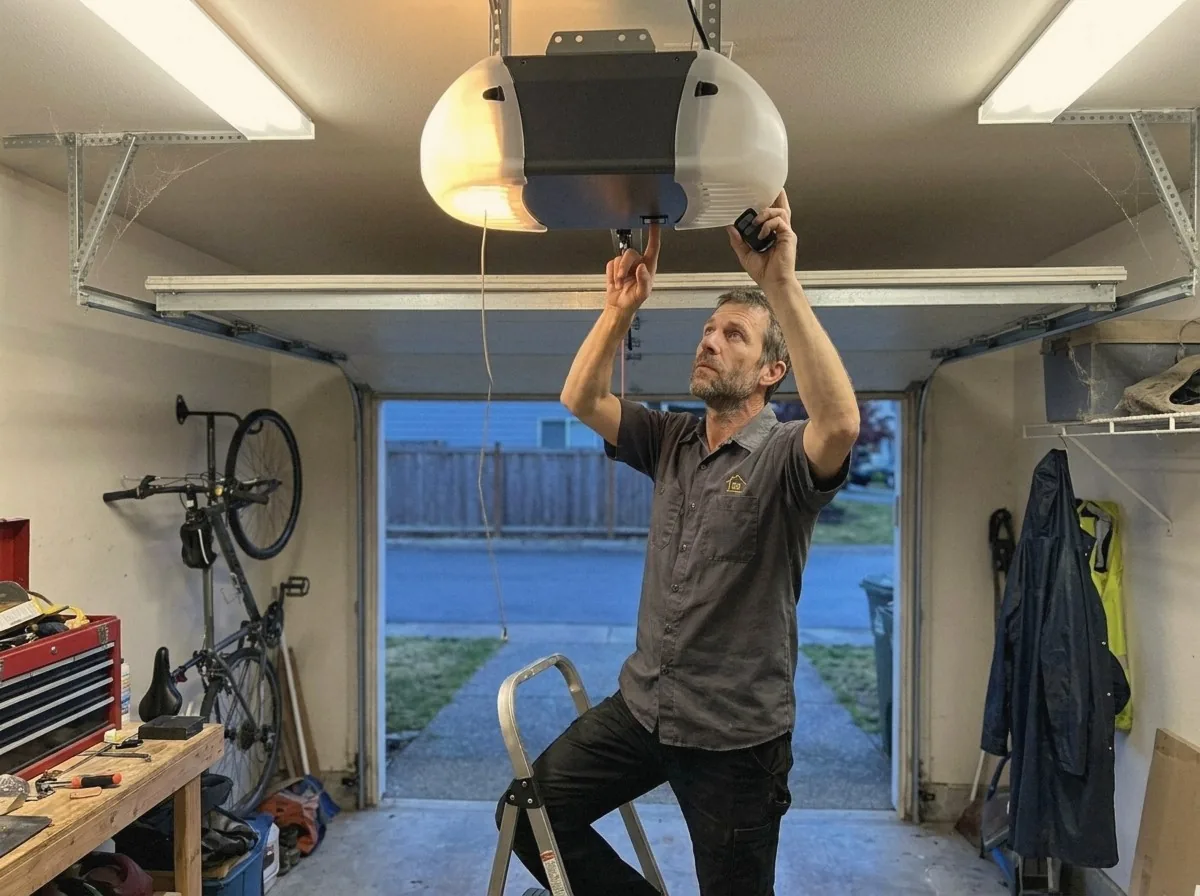
A Genie motor that runs while the door stays still has three causes, and only the first is a homeowner fix. First, the carriage is disengaged: someone pulled the red emergency release cord and the trolley is coasting free on the rail. Close the door by hand, pull the cord toward the door and listen for the click as the carriage locks back on, then press the remote. Second, on a screw drive Genie the long steel threaded rod inside the rail turns the carriage along; if the screw turns but the carriage stays put, the carriage is stripped, and if the motor runs but the screw does not turn, the coupler between motor and screw has failed. Both usually grind. On chain and belt models the equivalent is a chain or belt that has snapped or jumped its pulley. Third, a broken torsion or extension spring or a snapped cable has made the door far heavier than the opener can move. Genie’s instruction for that case is the same as ours: do not operate the door and call a garage door professional.
Perfection Garage Door replaces Genie carriages and couplers as part of garage door opener repair, and treats a spring, cable or drum job as garage door spring repair, never as a homeowner task. A door that lifts fine by hand but will not move with the opener points to the drive; a door that is heavy by hand points to the springs.
How do I reset the limits on a Genie opener?
On 2011 and newer Genie openers the travel limits are set with the UP, DOWN and SET/PRGM buttons on the powerhead, with the round and long LEDs confirming each step. Genie’s own procedure, in order:
- Before you start: carriage engaged on the rail, door resting somewhere between fully open and fully closed, AC power connected (not battery backup), nobody and nothing in the door path. Do not run the door from the wall console before the limits are set.
- Down limit. Press and hold DOWN until the long LED lights blue, then release; the long LED flashes blue. Press and hold DOWN until the door is fully closed, tapping UP if it goes too far. The weatherstrip should seal across the width without the door bending or buckling. Press and release SET/PRGM. Both LEDs flash blue and turn off.
- Up limit. Press and hold UP until the long LED lights blue, then release; the round LED flashes blue. Press and hold UP until the door is fully open. On a sectional door the bottom seal should sit level with the header; stop the carriage short of the powerhead and do not stretch the spring cables. Press and release SET/PRGM. Both LEDs flash blue and turn off.
- Each step has a 30 second window. If both LEDs turn red, the step timed out; start that step again.
- Run a full cycle from the wall console and watch the door reverse off a flat 2×4 laid on the floor. If it does not reverse, stop using the opener and call.
On the older Excelerator series (H8000, ISD990, PRO99, CMD9900 and related models) and other pre-2011 Genies, limits and force are mechanical: limit switches on the rail and force adjustments that Genie notes are not preset at the factory. The Excelerator status LED under the lens blinks a count to tell you which: 4 blinks means the force settings are wrong, 7 blinks means a limit switch or its wiring has failed, 5 blinks is a Safe-T-Beam fault, 8 blinks means the wall console is in vacation lock, and 1 blink is a drive board interrupt that Genie ties to poor door balance, a worn spring, binding hardware or worn rollers when it keeps returning. Follow the manual for the model number on your label for the exact adjustment.
When not to reset limits: if the door is heavy by hand, if a limit only “fixes” the problem when you also raise the force, or if the same fault returns within days. Each of those means the door has changed, not the opener’s memory, and a higher force setting only hides a door that is out of balance.
Does rain affect a Genie opener?
Rain affects a Genie opener in Renton through the sensors, not the motor. NOAA’s 1991 to 2020 climate normals for Seattle-Tacoma Airport, the nearest first-order station to Renton, show 156 days a year with measurable precipitation, with November, December and January averaging 18 to 19 wet days each (NWS Seattle climate data). On those days cold damp air rolls in under the door while the garage interior stays a few degrees warmer, and condensation forms on the Safe-T-Beam lenses, which sit 5 to 6 inches off the floor where the air is wettest. Fog on the receiver lens scatters the beam, the green LED starts its 2-blink code, and the door refuses to close until the lens dries or is wiped.
Three habits keep a Genie working through a western Washington winter. Wipe both lenses with a dry cloth before the first rain in October and again whenever the door starts refusing to close on wet days. Keep the floor inside the opening clear so a wet bin or a dripping bike is not parked in the beam. And watch for low autumn sun through the open door between late September and November, which Genie names as a cause of false reversals; a Version 2 sensor with its lens hood or a shade over the receiver solves it. Swollen bottom seals and grit in the track are rain problems too, but they belong to the door, and the won’t close all the way guide covers them.
Genie opener faults: fix it yourself or call a technician
The table is how Perfection Garage Door sorts Genie calls in Renton and the rest of south King County. The homeowner column is limited to the steps Genie’s own support pages give homeowners; everything that involves spring tension, cables, the drive, or the circuit board goes to a licensed technician.
| Symptom | Homeowner fix | Call a technician |
|---|---|---|
| Red Safe-T-Beam LED blinking | Wipe lenses, clear the beam, realign until the red LED holds steady | LED will not hold steady at any angle, or the wire is cut inside the wall |
| Green LED blinks 3 times | Look for a staple through the sensor wire or a loose terminal | Wire damaged where you cannot reach it, or the code stays after rewiring |
| Door reverses before the floor | Clear the path, read the LEDs, test door balance by hand | Door is heavy or drops when lifted by hand (spring or cable) |
| Remote dead, wall console works | Turn off Sure-Lock, replace the battery, re-pair the remote | Every remote and keypad died at once (receiver board) |
| Motor runs, door stays still | Re-engage the carriage after an emergency release | Screw turns but carriage does not move, motor runs but screw does not turn, or a spring is broken |
| Door stops short or opens too far | Re-set the limits with the powerhead buttons (2011 and newer) | Limits drift back within days, or the fix needs the force raised |
| Excelerator LED blinks 1, 2 or 3 | Unplug for 5 seconds, reconnect, wait 10 minutes if code 3 | Code returns on the next cycle |
| Grinding, humming or hot electronics smell | Unplug the opener | Always |
When a call is the right answer, Perfection Garage Door handles garage door repair and opener work across Renton, Kent, Tukwila, Newcastle, Bellevue, Issaquah and Sammamish, with a written quote before any work starts. The truck carries Safe-T-Beam pairs, Genie carriages and couplers, remotes and wall consoles, so a sensor or drive repair on a Genie normally finishes in one visit.
Genie garage door opener troubleshooting: Renton FAQs
Why is the red light blinking on my Genie garage door opener sensor?
A blinking red LED on a Genie Safe-T-Beam sensor means the source (transmitter) unit is misaligned, blocked or has a wiring fault, and the opener will not close the door until the beam reaches the receiver again. Genie’s fix order is to clean both lenses, clear anything in the beam path and check for loose wires, then confirm the sensors sit 5 to 6 inches above the floor facing each other. Tilt the source bracket by hand until the red light holds steady, then tighten it.
How do I reset a Genie garage door opener?
A Genie opener has no single reset button. Unplug it for 5 seconds and plug it back in to clear a drive or controller board interrupt (Excelerator code 1 or 2). If the door then stops short or reverses at the floor, re-set the travel limits with the DOWN, UP and SET/PRGM buttons on 2011 and newer units. If the remotes are the problem, erase all remotes at the powerhead and re-pair the ones you still own. None of these steps fix a door that is heavy to lift by hand; that is a spring repair.
Why does my Genie garage door close and then open again?
A Genie door that closes and then opens again is reversing because the opener sensed an obstruction: something in the door path or the Safe-T-Beam, a down limit set past the floor so the slab reads as an obstruction, or a door that has become too heavy for the closing force. Clear the floor, check the sensor LEDs, then test the door by hand with the release cord. Adjust the down limit only when the door lifts smoothly by hand.
Why won’t my Genie remote work after a new battery?
If a Genie remote still does nothing after a fresh CR2032 battery, check the Sure-Lock vacation switch on the wall console first, because it disables every remote and keypad on purpose. Then re-pair the remote: hold the PRGM/SET button until the LED turns blue and press the remote button every 2 seconds until the door runs (2011 and newer), or use the Learn Code sequence on older units. If every remote and the keypad died at the same time, the receiver board on the powerhead has failed, often after a power surge.
Does a Genie opener work without the Safe-T-Beam sensors?
No. Genie states that the Safe-T-Beam system must be installed and working for the opener to close the door, and the remote and keypad will not close it while the sensors are faulted. Holding the wall console button until the door is fully closed is the only one-time override. Disconnecting or bypassing the sensors removes the entrapment protection the opener was certified with and is not a repair option Perfection Garage Door offers.
About Perfection Garage Door
Perfection Garage Door is a locally owned garage door repair and installation company based in Renton, WA 98057, serving Renton, Kent, Bellevue, Issaquah, Sammamish, Tukwila and Newcastle since 2010. The team repairs springs, cables, rollers, panels and openers, installs new insulated steel, carriage house, glass and wood doors, and offers same-day service across south King County. Every job starts with a written quote. Call or text Perfection Garage Door at (425) 264-8378, 24 hours a day.
Sources: Genie Safe-T-Beam self-diagnostic chart, Safe-T-Beam installation instructions, Genie support answers on a blinking red Safe-T-Beam light and a reversing door, Genie travel limit programming guide, Genie Excelerator self-diagnostic page, Genie remote programming pages (store.geniecompany.com and support.geniecompany.com), NOAA 1991 to 2020 climate normals for Seattle-Tacoma Airport. Checked October 2026.